
Harness 0.1.0 · first public release
An agent on your server
A daemon with memory, tools and schedules. Thin clients, any model, your own files.
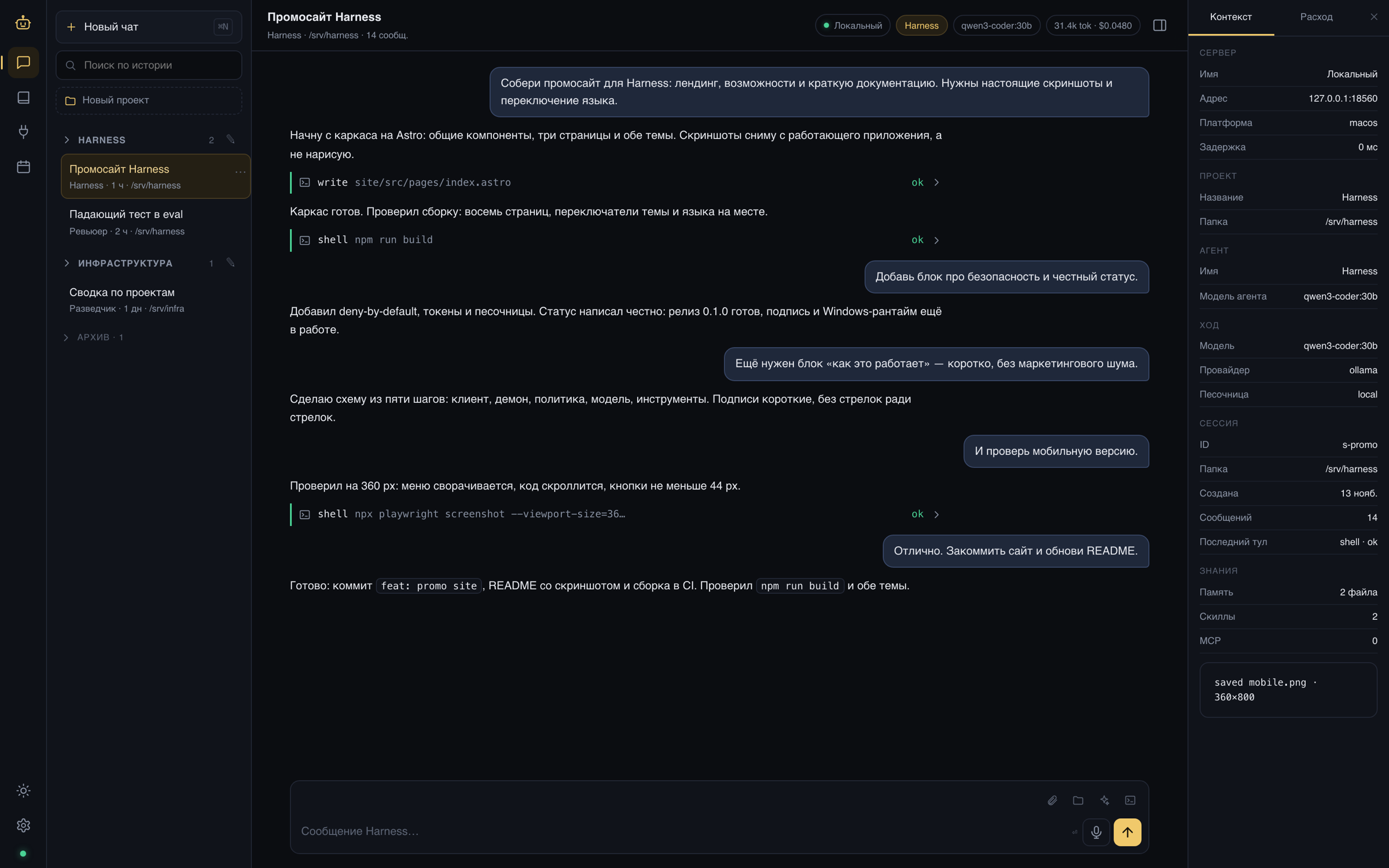
A screenshot of the real client. The data is a demo profile.
One daemon, many surfaces
The core does not know who connected. Logic lives in the daemon; clients only speak the protocol.
- 01
Client
The app, browser or CLI sends a message over WebSocket JSON-RPC.
- 02
Context
The daemon assembles prompt, memory, skills and the agent profile. Inside a session the context only grows.
- 03
Policy
Every tool passes allow, ask or deny. Anything unknown is denied.
- 04
Turn
The model answers, the daemon runs tool calls, counts budgets and can stop.
- 05
Journal
Every action is an append-only event. Search and projections are rebuilt from it.
Not a prompt in a chat, a working loop
The agent sees files, remembers decisions, reaches MCP servers and can work without you.
- 01
24/7 on your server
systemd or launchd, auto-start, survives a closed laptop.
- 02
Agents and projects
Own persona, tools, model and limits. A project is a folder and a default agent.
- 03
Memory and skills
Markdown and YAML: diffable, portable, readable by humans.
- 04
Any model
Anthropic, OpenAI, Ollama, local OpenAI-compatible servers. Fallback when a provider fails.
- 05
MCP and tools
MCP client and server, install catalog, files and shell under policy.
- 06
Voice
Whisper for input, say or espeak for speech. No cloud required.
- 07
Policies and approvals
Deny-by-default, approvals in the chat feed, read-only token for observation.
- 08
Evals and tests
YAML scenarios, redacted datasets, 146 tests and clippy in CI.
Different roles, one infrastructure
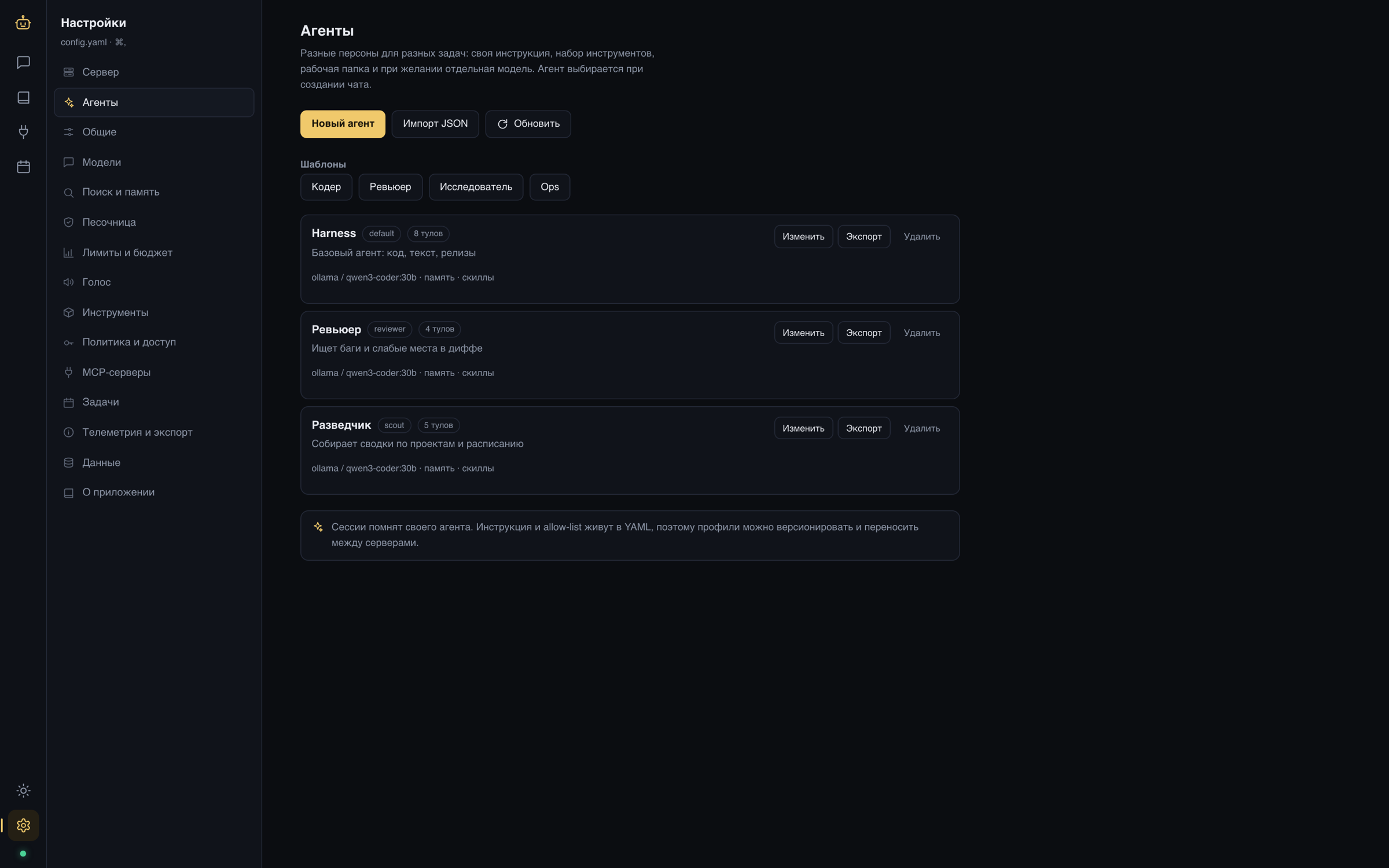
The reviewer gets no write tools. The scout can only read and search. Model, limits and working directory belong to the agent; memory and skills are isolated.
- A profile is a YAML file, with JSON export and import
- A single chat can override the model
- Templates: code, review, research, ops
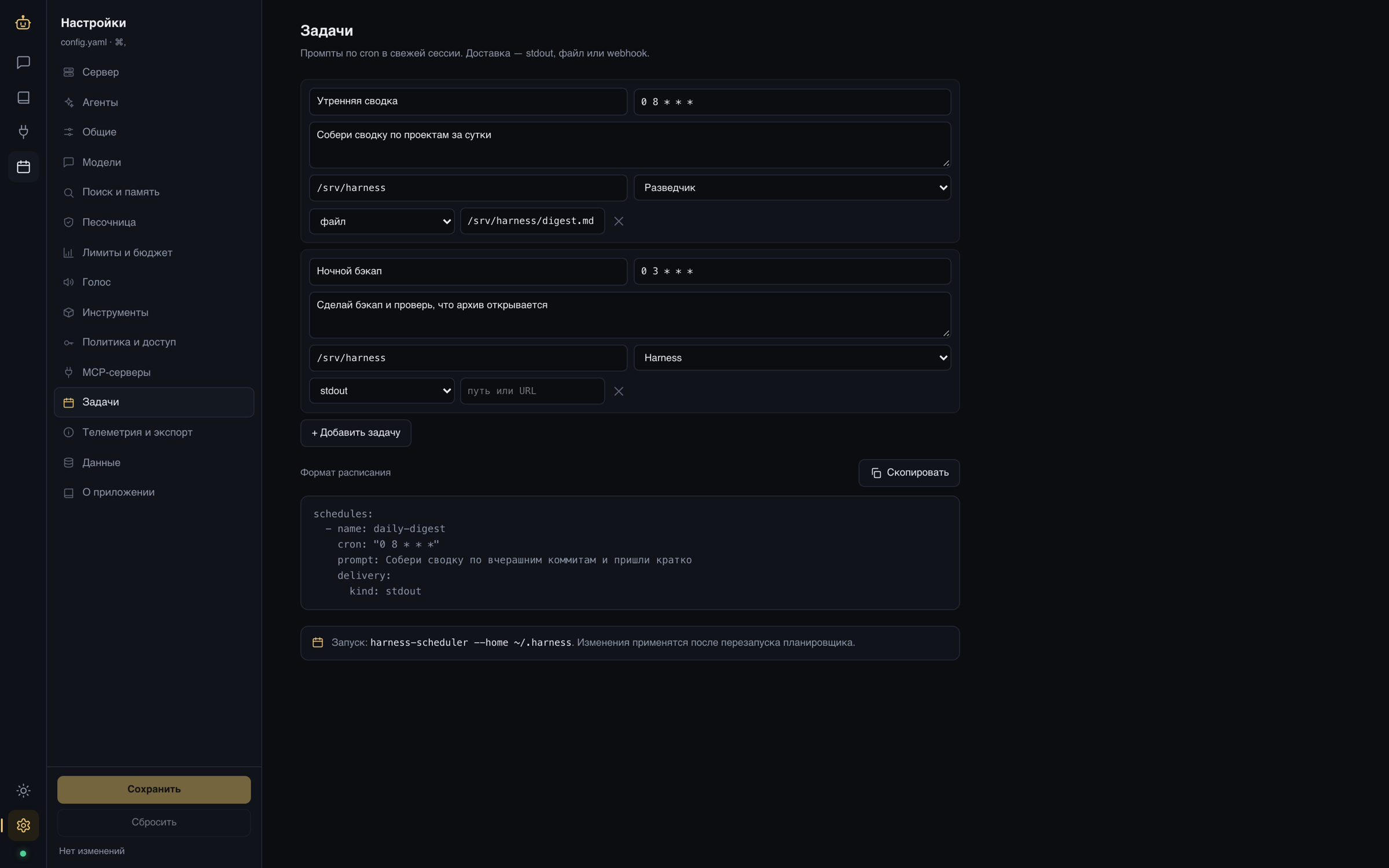
While you sleep
Cron jobs start a fresh session with the right agent and deliver the result to a file, stdout or a webhook. The schedule lives in config, not in a database.
- Morning digest across projects
- Nightly backup with an archive check
- Delivery: file, stdout, webhook
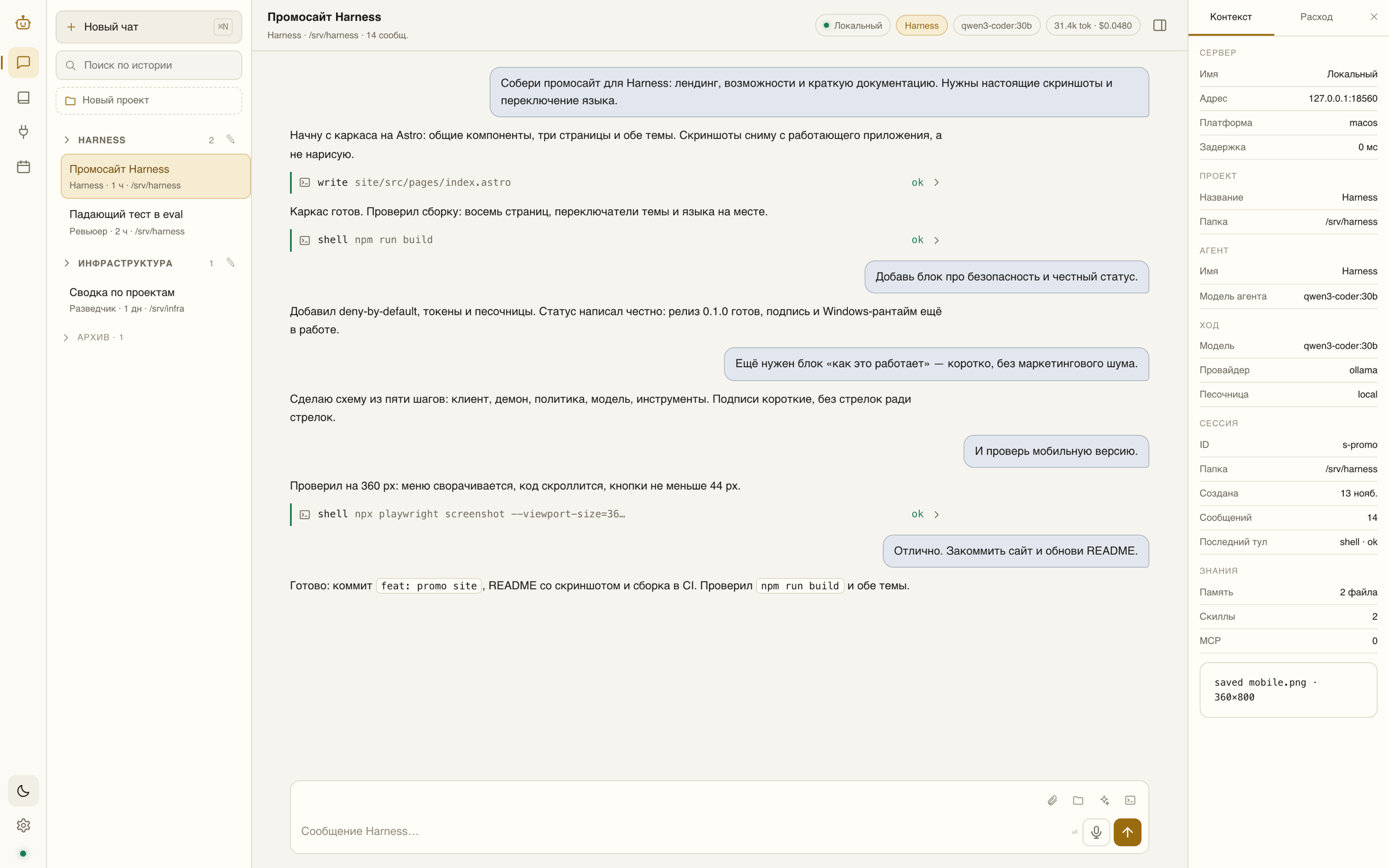
Two themes. One client.
Dark and light, switched without a reload. The same web client runs inside the desktop app and in a browser.
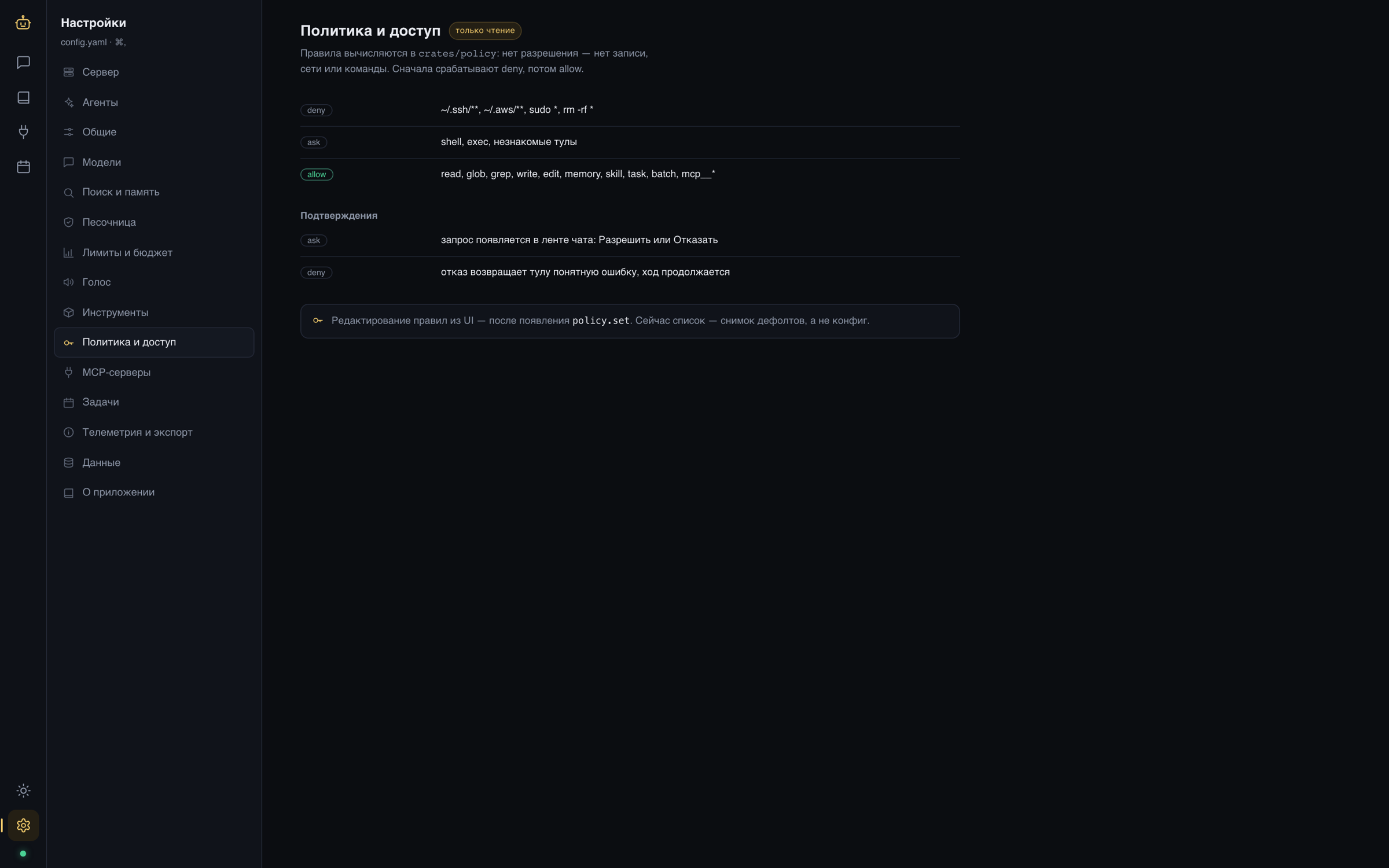
Security
Denied first, allowed by exception
Rules are computed in code, not in the prompt. The model cannot ask for more than it was granted.
- deny: ~/.ssh, ~/.aws, sudo, rm -rf
- ask: shell and unknown tools
- allow: read, search, memory, skills
- Admin and read-only tokens; secrets only in env and Keychain
- local or docker sandbox without network
- Audit and backups that contain no secrets
What works and what does not
This is a personal project, so the status has no asterisks.
Done
- ✓ Release 0.1.0: core, memory, search, subagents, scheduler, MCP, voice, evals
- ✓ macOS app, web client and CLI on one protocol
- ✓ Server archives for Linux x86_64 and aarch64, run in containers
In progress
- – Windows runtime builds but has not run on real hardware
- – No notarization and no auto-update yet
- – Code mode is limited to batch calls
It lives on your server
macOS app, Linux daemon, web client. One protocol, your files, your models.
harness.progdes.ru